MCP Tokens
MCP (Model Context Protocol) tokens allow AI assistants like Cursor, Claude, VS Code, and other MCP-compatible tools to securely access your t0ggles boards and data. This guide explains how to generate, manage, and secure your MCP tokens.
#What are MCP Tokens?
MCP tokens are secure authentication credentials that allow AI assistants to interact with your t0ggles data. When you connect an AI tool (like Cursor IDE or Claude Desktop) to t0ggles, the token authenticates requests on your behalf.
Key characteristics:
- Personal access: Tokens are tied to your account and have access to boards you own or are a member of
- Secure: Tokens are displayed only once at creation and cannot be retrieved later
- Revocable: You can revoke any token at any time, immediately blocking access
- Trackable: Each token tracks when it was last used
#Generate a Token
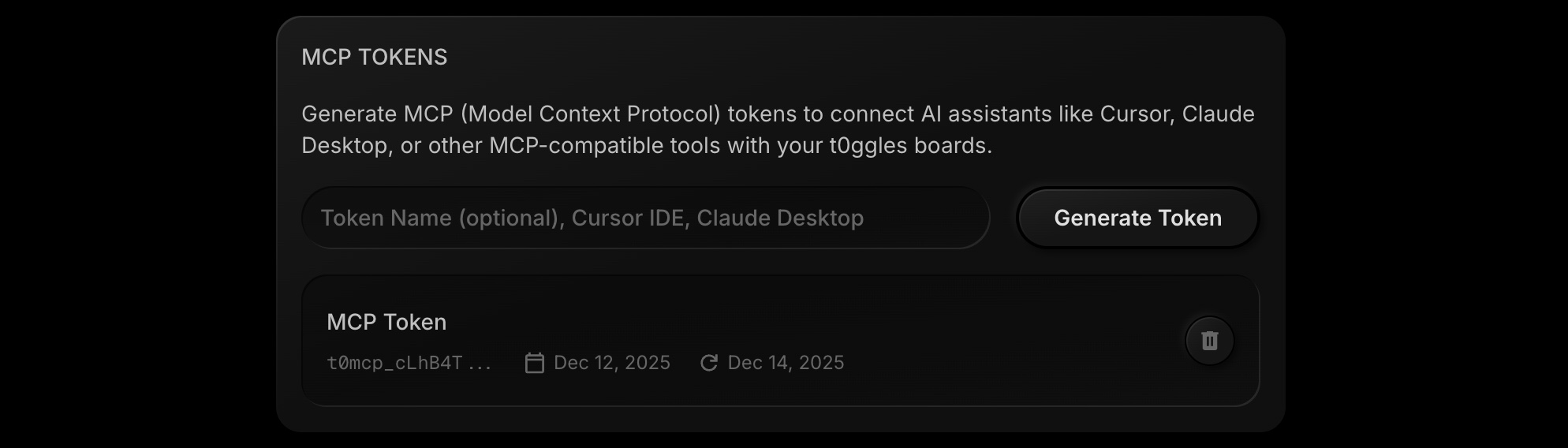
To create a new MCP token:
- Go to your Account Settings
- Scroll to the MCP Tokens section
- Enter a descriptive name for the token (e.g., "Cursor IDE - MacBook Pro")
- Click Generate Token
- Important: Copy the token immediately - you won't be able to see it again
⚠️ Warning: The token is only shown once! Make sure to copy and store it securely before closing the dialog.
After generation, the token will appear in your list showing its name, creation date, and last used timestamp.
#Manage Your Tokens
#View Your Tokens
All your active tokens are listed in the MCP Tokens section of your Account page. For each token, you can see:
| Information | Description |
|---|---|
| Name | The descriptive name you gave the token |
| Created | When the token was generated |
| Last Used | The most recent time this token was used for authentication |
#Revoke (Delete) a Token
To permanently remove a token:
- Find the token in your list
- Click the delete button (trash icon)
- Confirm deletion
The token is immediately invalidated. Any AI tools using this token will no longer be able to access your t0ggles data.
#Token Limits
Each t0ggles account can have a maximum of 10 active MCP tokens.
Recommended token organization:
- Create one token per device (e.g., "Work Laptop", "Home Desktop")
- Create one token per tool (e.g., "Cursor IDE", "Claude Desktop")
- Use descriptive names to easily identify which token is which
If you reach the limit, revoke unused tokens before creating new ones.
#Security Best Practices
#✅ Do
-
Use descriptive names: Name tokens clearly so you know what each one is for
- Good: "Cursor IDE - MacBook Pro M2"
- Avoid: "token1" or "test"
-
Store tokens securely: Use a password manager or environment variables
-
Rotate tokens periodically: Regenerate tokens every few months for enhanced security
-
Revoke unused tokens: If you stop using a tool or switch devices, revoke its token
-
Use one token per tool/device: This way, if one is compromised, you can revoke it without affecting others
#❌ Don't
-
Never share tokens: Each team member should generate their own tokens
-
Don't commit tokens to version control: If you accidentally commit a token to git, regenerate it immediately
-
Don't store tokens in plain text files: Use environment variables or secure credential storage
-
Don't reuse tokens across multiple tools: Generate separate tokens for each purpose
#Using Your Token
Once you've generated a token, you'll need to configure it in your AI tool. Here's the standard format used by most MCP-compatible applications:
{"mcpServers": {"t0ggles": {"url": "https://t0ggles.com/mcp","headers": {"Authorization": "Bearer YOUR_TOKEN_HERE"}}}}
For detailed integration instructions for specific tools, see the MCP Server documentation.